The highly anticipated Meta Ads Comment-to-DM feature is finally rolling out natively inside Ads Manager. This eliminates the need for clunky third-party tools like ManyChat for initial triggers, allowing you to instantly DM users who comment specific keywords. However, triggering the first message is only half the battle; we will look at micro-case studies and real UI workflows showing how Naise AI handles the inevitable inbox overflow autonomously.
The Most Awaited Meta Ads Update is Finally Here
What is the Meta Ads Comment-to-DM update? It is a new native toggle inside Meta Ads Manager that allows advertisers to automatically send a pre-written private message whenever a user comments a designated keyword on their ad.
For years, performance marketers and social media managers have relied on external tools to bridge the gap between ad engagement and direct conversion. The standard play was connecting a tool like ManyChat to your Meta account. You would set a rule to fire a specific message when a user dropped a keyword in the comments. It worked, but it added another subscription and another login to your already heavy tech stack.
Now, Meta has built this functionality directly into the native ad setup. This is a massive shift for direct-to-consumer brands, creators, and service businesses. By keeping the entire interaction native, Meta heavily incentivizes conversational commerce. The platform wants users to stay on Facebook and Instagram, and this update makes it incredibly easy to deliver value directly into their inboxes.
However, a native trigger does not equal a complete conversation. Triggering a DM is the easy part of the funnel. The real challenge for lean marketing teams is managing the sudden influx of customized replies when a campaign actually works.
Where to Find It (And How to Set It Up)
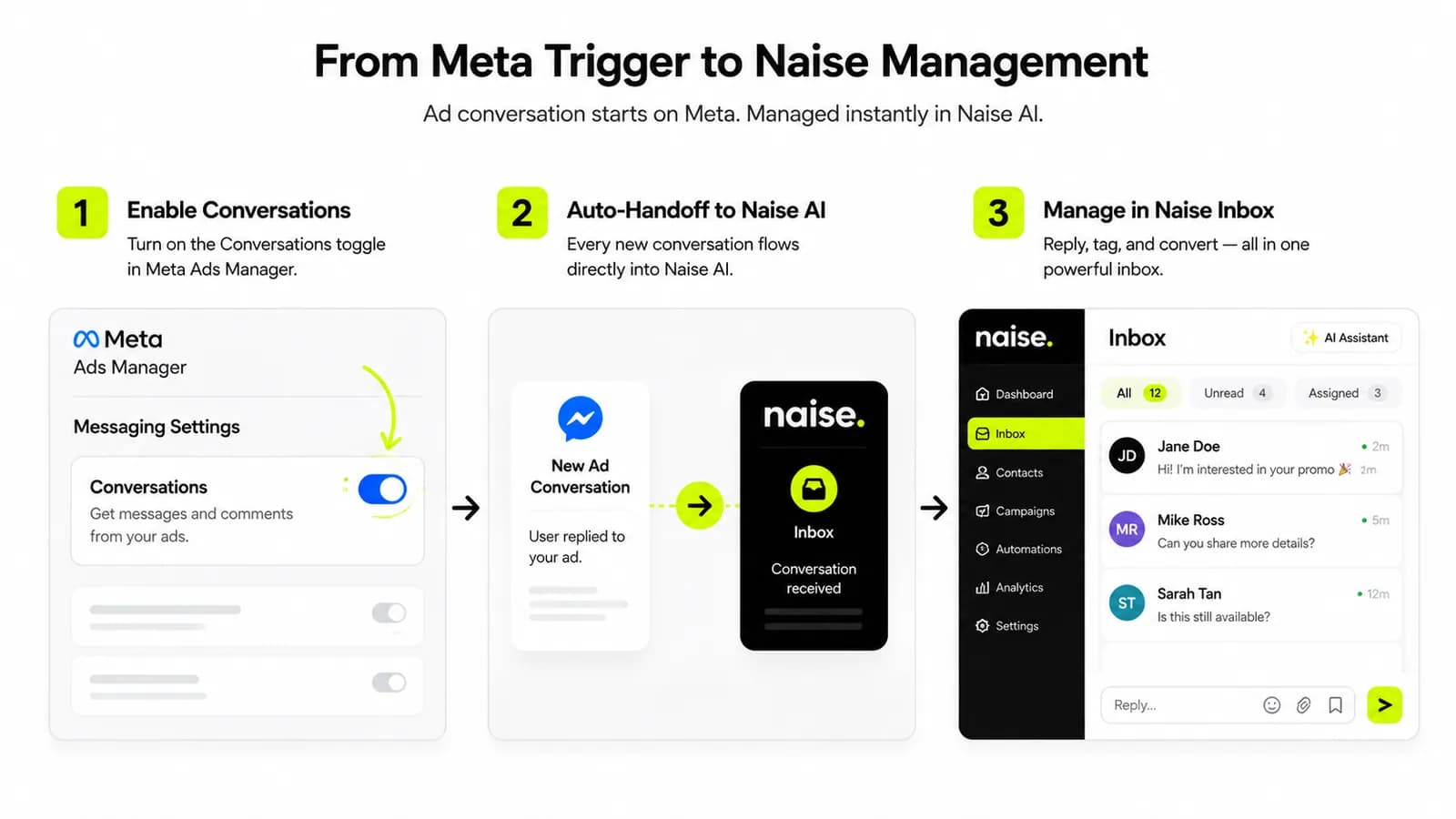
Where is the Comment-to-DM feature located in Ads Manager? The new feature is located at the Ad level within the Ads Manager interface, hiding under a new section called the "Conversations" tab.
If your account has access to this slow rollout, finding it is straightforward. When you are building a new campaign or editing an existing one, navigate down to the Ad level. This is the exact same place you upload your creative and write your primary text. Scroll down past the tracking options, and you will see a new section labeled Conversations.
Inside this tab, you will find a simple toggle for "Reply to keywords." By turning this on, you unlock the ability to bypass manual outreach completely for that initial touchpoint. This is a massive time-saver for teams that previously spent hours manually responding to comments with links or promo codes.
It is important to note that this is still a limited test by Meta. If you do not see the Conversations tab yet, you just have to keep checking back. But for those who have it, it completely shifts how you structure your ad creative. Your call-to-action is no longer a passive link click; it is a direct command to engage.
How It Works: 5 Keywords, 1 Private Message
How many keywords can you use with Meta's new auto-DM feature? Advertisers can set up to 5 different keywords or phrases per ad, which will all trigger the exact same automated private message.
The setup is incredibly lean, which is both a blessing and a curse for advertisers. You are allowed to input up to five specific keywords per creative. For example, if you are running a flash sale, your keywords might be "SALE," "DISCOUNT," "PROMO," "CODE," and "20OFF." If a user comments any of these exact phrases, Meta instantly fires off your pre-written private message.
This private message is where the instant gratification happens. You can include a direct link to your product page, a unique coupon code, a phone number, or an email address. The immediate benefit is zero manual DMs for that very first interaction. Your team reclaims hours of administrative work instantly.
However, there is a critical limitation to understand before launching. The system does not branch yet. Whether they comment "SALE" or "CODE," they get the exact same message. You cannot currently customize the response based on which of the five keywords they used. This means your initial ad copy and the subsequent DM must be highly aligned.
Micro-Case Study: The Beauty Brand Bottleneck
Let's look at a real scenario. A mid-sized skincare brand launched a "GLOW" campaign using this native feature. They secured 1,200 comments in 48 hours. Meta perfectly delivered 1,200 discount codes via DM. But 30% of those users replied back to the DM asking, "Is this safe for sensitive skin?" The brand's social media manager spent the entire weekend manually typing the same reply. The trigger worked, but the follow-up broke their lean team.
Why It Matters: Your Ad Stops Looking Like an Ad
Why is the Comment-to-DM strategy so effective for Meta Ads? It masks the sales pitch as native engagement, signaling to Meta's algorithm that the post is highly valuable, which results in cheaper reach.
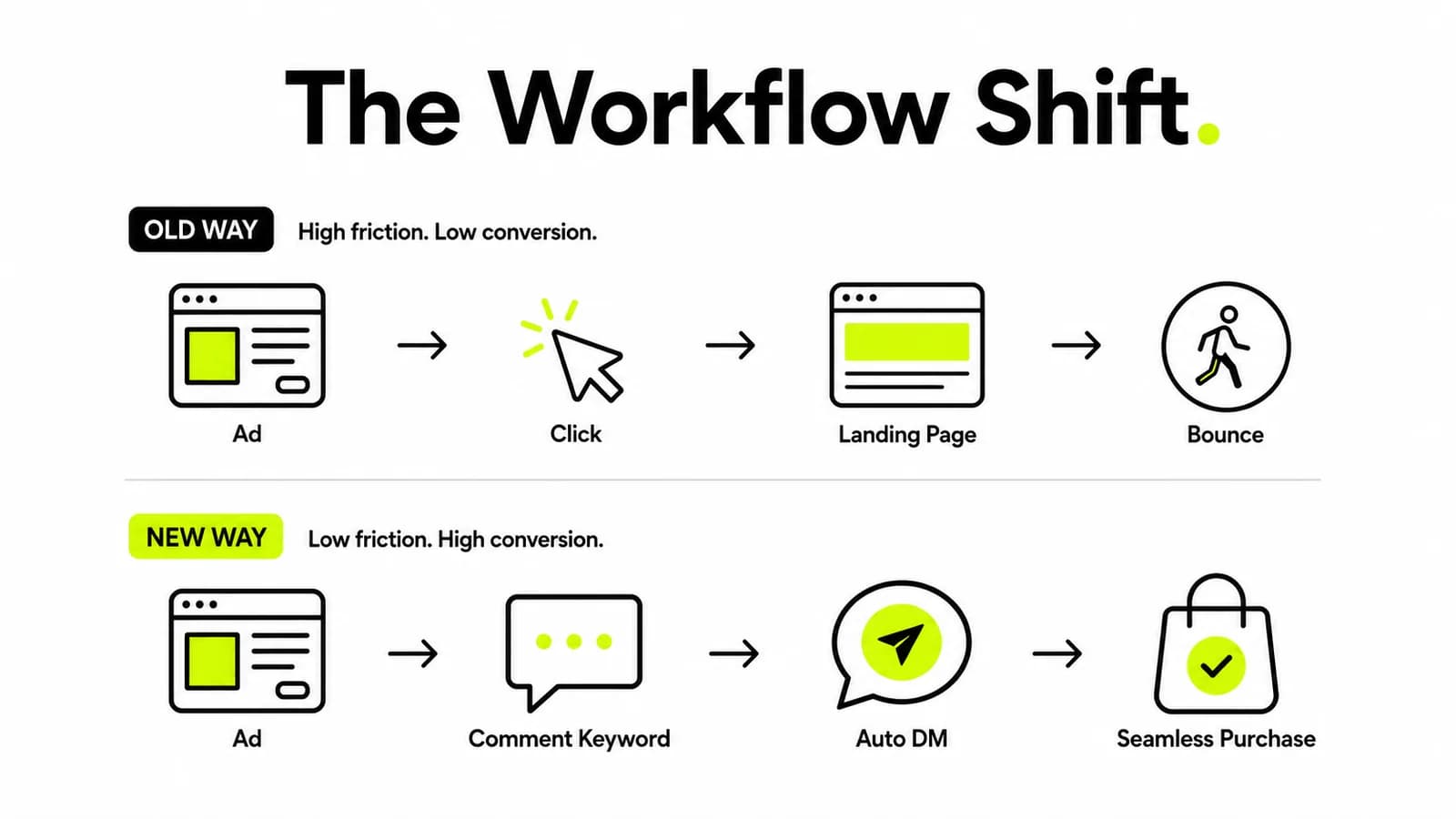
The traditional user journey is full of friction and feels highly transactional. A user sees an ad, clicks a button, waits for a landing page to load, and then decides whether to buy. The new Comment-to-DM flow completely upends this standard behavior. Your ad now functions as a conversation starter, asking the user to simply raise their hand in the comments.
This creates a powerful dual effect for your ad account. First, the public-facing ad stops looking like a traditional hard sell. It looks like a highly engaging organic post because it is racking up dozens or hundreds of comments. Meta's algorithm reads these comments as a massive engagement signal. It rewards highly engaging content with cheaper reach and better placement in the feed.
Secondly, the actual selling happens privately in the DM. The public feed remains clean and conversational. Meanwhile, the high-intent action happens in a personalized, one-on-one environment. You get more engagement, cheaper reach, and significantly higher intent from the users who actually receive the link.
Steal These 3 Plays for Your Next Campaign
What are the best ways to use the Meta Comment-to-DM feature? The three most effective strategies are offering a secret coupon code, delivering a free lead magnet, or sending a direct booking link.
To capitalize on this update, you need to align your creative hook with the desired keyword. You must decide the keyword before you finalize the creative, as it dictates the entire call-to-action. Here are three immediate ways to deploy this today:
The D2C Brand Play (The Coupon): Post a highly visual ad showcasing a new product. The CTA should read, "Comment 'CODE' and we'll DM you a secret 20% off link." This drives immediate sales while boosting ad engagement metrics.
The Creator/Coach Play (The Lead Magnet): Share a valuable tip or insight in a short video. The CTA should read, "Want the full checklist? Comment 'GUIDE' and it'll land right in your DMs." This is the fastest way to build a list.
The Service Business Play (The Booking): Highlight a common pain point and your unique solution. The CTA should read, "Ready to fix this? Comment 'CALL' and we'll send over our private booking link." This qualifies leads instantly.
Scaling the Conversation: A Look Inside the Naise UI
How do you handle the overflow of DMs when a Meta Ads campaign goes viral? By connecting your accounts to an AI operating layer like the Naise AI SMM Agent, which autonomously reads brand guidelines and replies to follow-up questions in real-time.
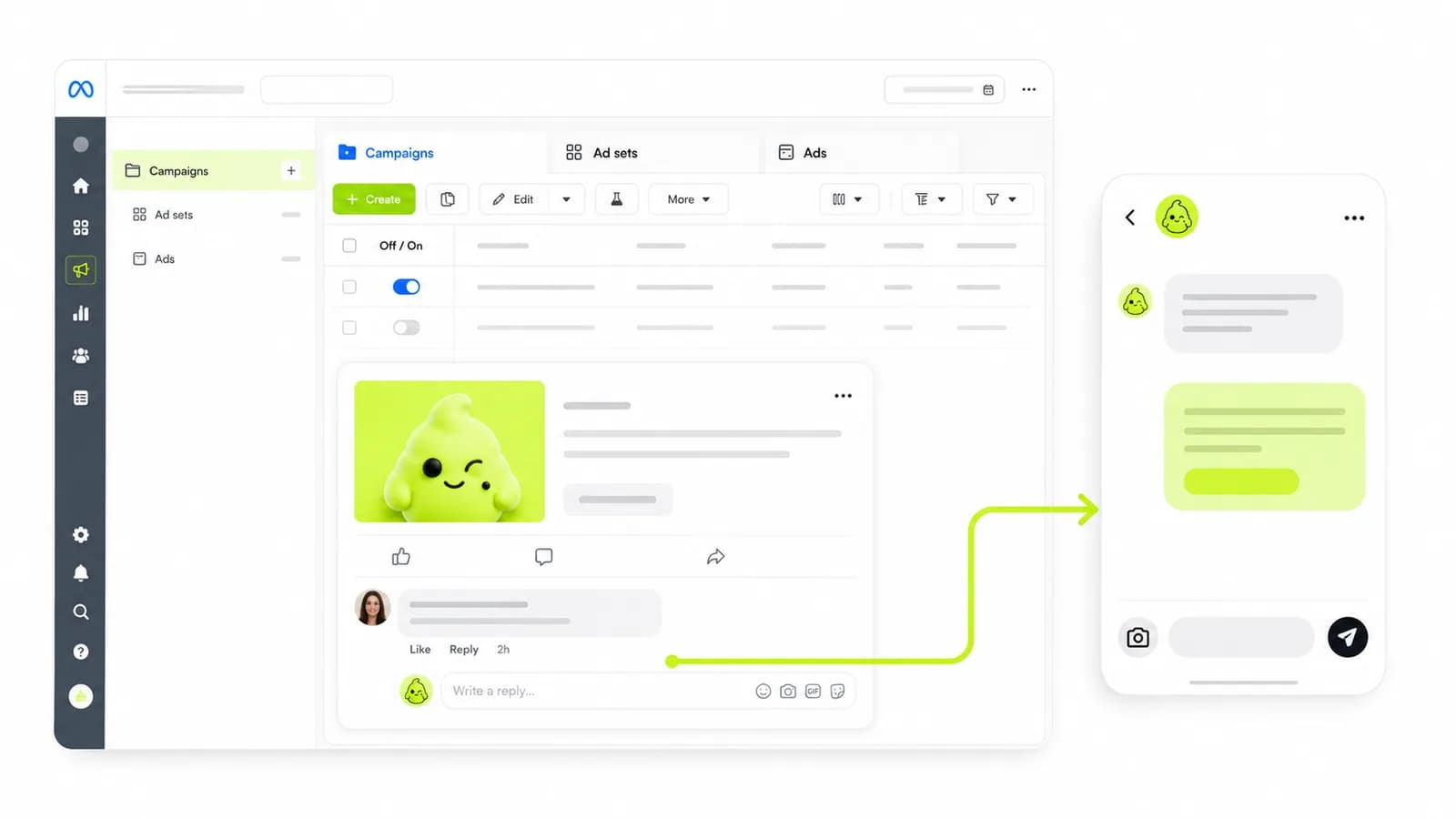
Let’s step away from broad pitches and look at the actual UI workflow. When you run a successful Comment-to-DM ad, Meta only handles step one. What happens when they reply to that discount code?
Instead of scrambling to hire a Virtual Assistant, you route the engagement through the Naise AI Dashboard. Let’s look at a micro-case study of a SaaS company running a "BETA" keyword campaign. They generated 400 DMs in an hour.
Here is the exact screen-recording workflow they used inside Naise:
The Brain: Before launching the ad, they uploaded their FAQ document and brand tone into the Projects tab.
The Hand-off: Meta natively sent the first DM with the beta link.
The AI Takeover: When a user replied, "Does this integrate with Slack?", the SMM Agent instantly picked it up in the Inbox tab.
The Execution: Relying on the Projects memory, the agent drafted and sent a cheerful, perfectly accurate response in seconds: "Yes it does! You can connect it right from your settings. Let us know if you need help! ✨"
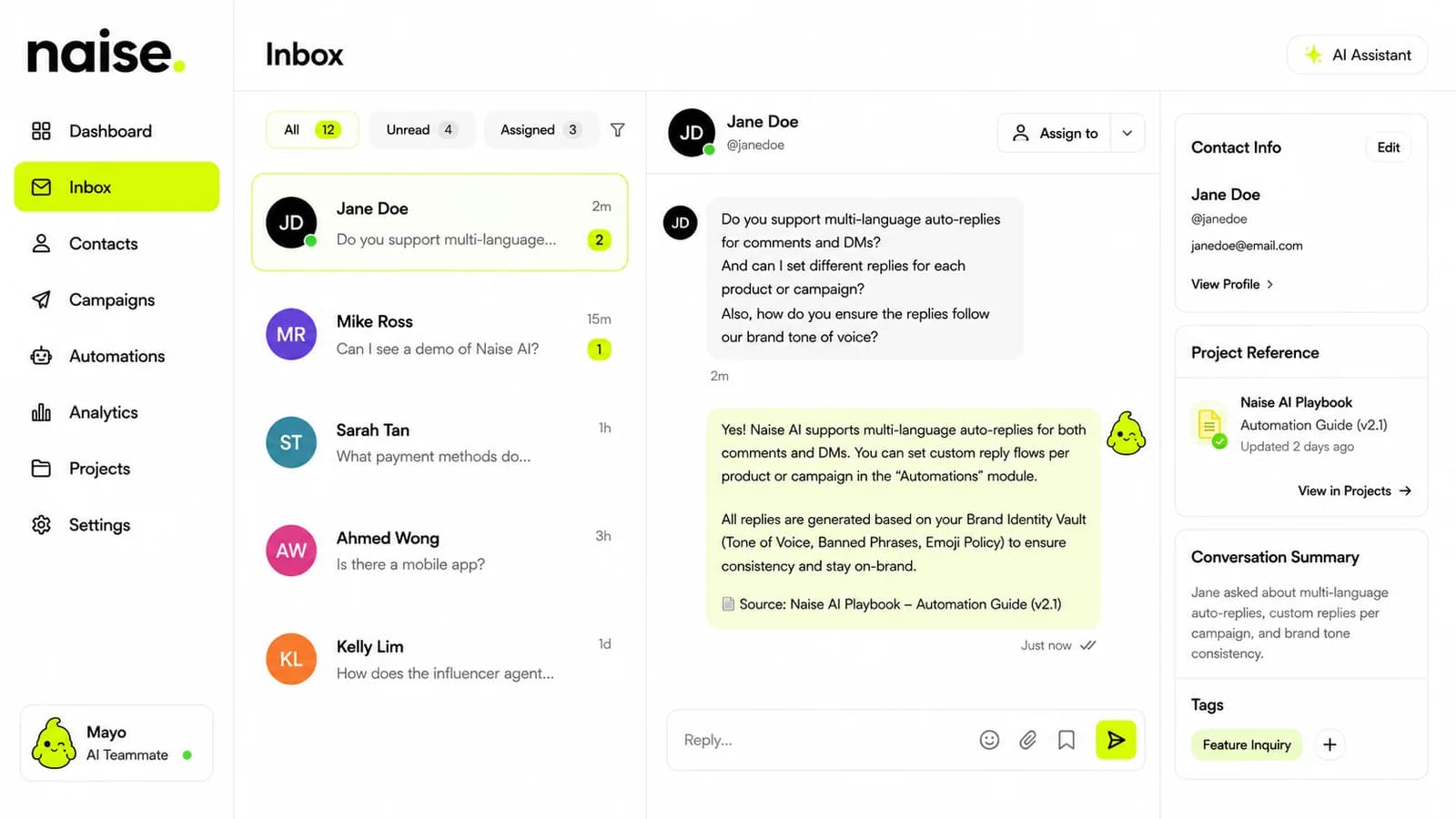
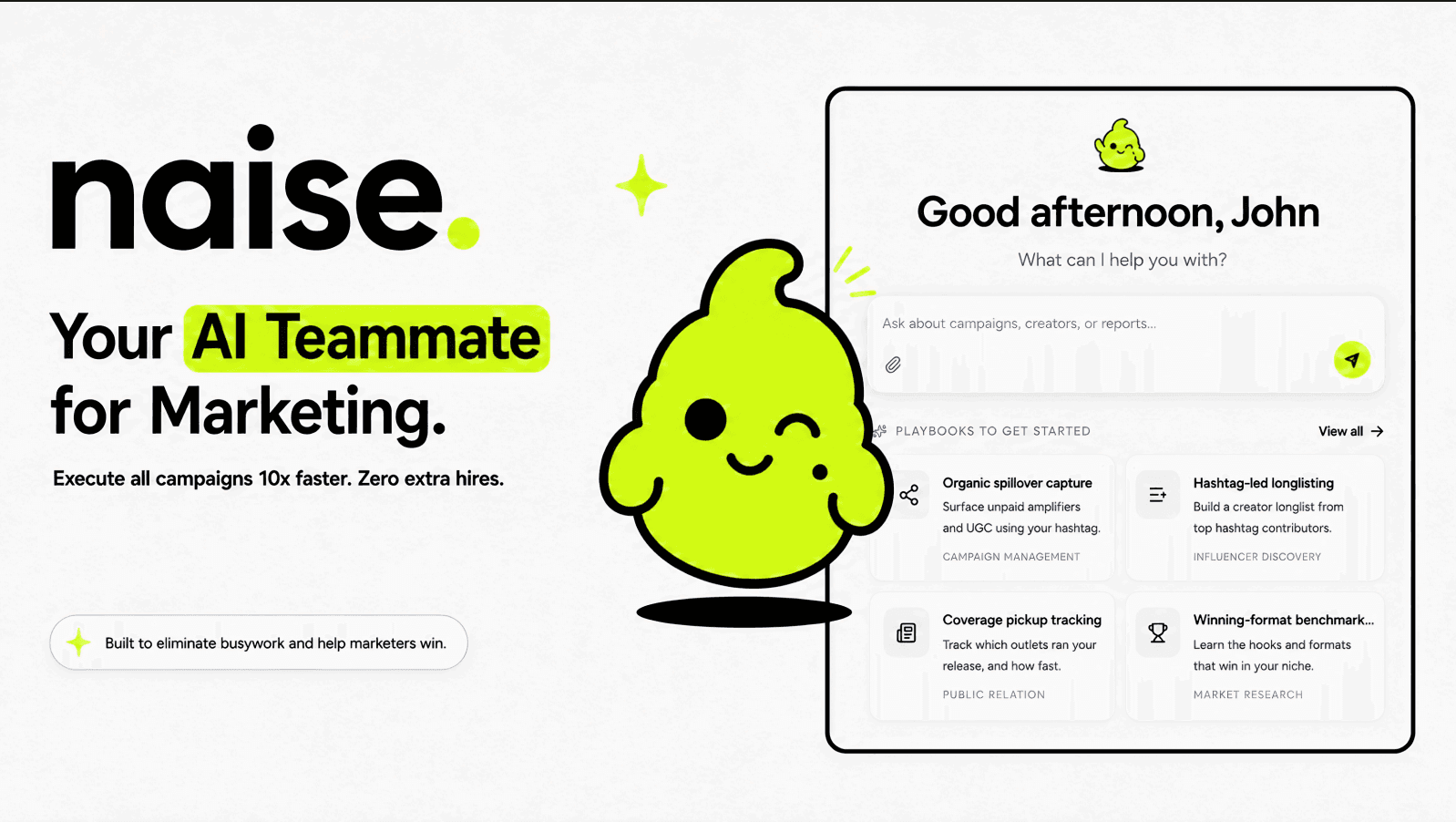
You get the cheap reach of Meta's new feature, combined with the tireless, intelligent execution of your AI Teammate. The strategy stays with you; the grunt work goes to Naise.
The Meta Comment-to-DM update is a powerful native tool for driving engagement and lowering acquisition costs. But it is only the first step in a modern conversational funnel. To truly capitalize on this traffic without overwhelming your lean team, you need an integrated system that can handle the follow-up, maintain brand consistency, and execute at scale. Stop managing fragmented tools and start orchestrating real growth directly from your dashboard.
FAQs
Can I use the Meta Ads Comment-to-DM feature for free?
Yes, the feature is built natively into Meta Ads Manager, meaning you do not need to pay for a third-party subscription like ManyChat to trigger the initial automated DM. You only pay for your standard ad spend.
Does the auto-DM feature work on both Facebook and Instagram?
The rollout is currently focused on Ads Manager and targets Instagram placements where comment-to-DM behavior is most common. However, it is designed to eventually work across Meta's primary ad placements that support comments.
Can I customize the DM based on different keywords?
Currently, no. The feature allows you to input up to 5 keywords, but all of them will trigger the exact same private message. You cannot create branching logic for different keywords within a single ad setup natively.
What happens if a user replies to the automated DM?
Meta's native tool only handles the initial automated response. Any subsequent replies from the user will require manual intervention from your team, or you can integrate an AI operating layer like the Naise AI SMM Agent to handle the ongoing conversation autonomously.